The Flowers: Merge and Sell Bouquets
The Flowers: Merge and Sell Bouquets

Ice Cream Inc.

Interior Designer - Decor Life
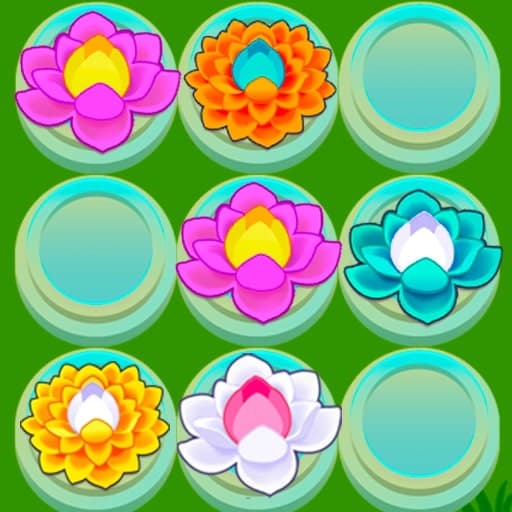
Merge Flowers

Pizza Realife Cooking

Spellmind
Bubble Letters
Organization Princess
Mahjong Garden

Merge Home Mania

Cool Girl Aesthetics
Mojicon Spring Connect

Home Makeover 2 Hidden Object

Grow a Garden 3D
Mojicon Garden Connect

Match Dream Garden

Mojicon Garden JigSolitaire
Asylum: Baldi Granny Slender
Tidy Master Satisfeel ASMR

Screwdom 3D

2 Player Games Design Salon
Kiki World: Kawaii Doll Decor!
Dress Up Outfit Match

Mansion Story Match
Garden Tales
PoppyTile
CityMix Solitaire
Flower Sort

Cooking Frenzy

Cooking Stories: Fun cafe game

Dream Chefs

Emilys Home Sweet Home

Falling Dummy
Flower Shop
Garden Block Puzzle
Garden Tales 2
Garden Tales 3
Garden Tales 4

Home Design - Match 3

Home Design: Small House

Home Makeover Hidden Object
Logic
Educational
Match 3
Casual
Hidden Object
Mahjong
Platformer
Christmas

The Flowers: Merge and Sell Bouquets
No votes yet
The Flowers: Merge and Sell Bouquets is a merge puzzle game that invites you to create beautiful bouquets in a peaceful, garden-inspired setting. Your goal is to combine matching flowers as they drop into a doorway-shaped play area, merging them into new blossoms and ultimately crafting bouquets to fulfill customer orders. Compete with others for the highest coin earnings and see if you can climb the leaderboard, all while enjoying a soothing, relaxing vibe.
To play, move each flower into position using your finger or mouse, then release to let it fall. When identical flowers collide, they merge into a different flower. Keep an eye out for the letter icon at the top, this signals a new bouquet order for you to complete. Prune away unwanted blooms and keep your garden thriving. Play for free online, right in your browser on desktop or mobile, no downloads needed!
How to play The Flowers: Merge and Sell Bouquets
1. The entire game takes place in a doorway-shaped play area.
2. A flower appears at the top, which moves with your finger or mouse cursor.
3. Release the mouse button or your finger to make the flower fly down.
4. Make the identical flowers collide and then they will join together to become another flower.
5. When the letter icon appears at the top of the screen, it means you have received an order for a new bouquet.
Who created The Flowers: Merge and Sell Bouquets?
The Flowers: Merge and Sell Bouquets was created by . Play their other games on Playupi: Night Club Security, Obby Champions, 100 Doors Escape Room, Hidden Objects Island, Pick Brainrot: 3D Battle.
How can I play The Flowers: Merge and Sell Bouquets for free?
You can play The Flowers: Merge and Sell Bouquets for free on Playupi.
Can I play The Flowers: Merge and Sell Bouquets on mobile devices and desktop?
The Flowers: Merge and Sell Bouquets can be played on your computer and mobile devices like phones and tablets.